| Audience | How you’ll use this article |
|---|---|
| Data teams | Validate match quality and tune identifier rules before activation. |
| Platform admins | Confirm identity stability and configure monitoring and scheduling. |
Overview
After creating and running an identity graph, review the results to confirm that identities are forming as expected.
Validation helps you:
- Confirm identity counts align with expectations
- Detect over-merging or unexpected splits
- Verify identifier coverage and limits
- Validate Golden Record values
- Safely enable downstream activation
Identity Resolution provides both UI tools and warehouse output tables to support this process.
Recommended validation workflow
Use the following order when reviewing a new or updated graph:
- Review identity counts in Summary
- Confirm run status in Runs
- Validate model ranking in Models
- Review identifier logic in Rules
- Sample identities in Profiles
- Validate canonical values in Survivorship
- Configure monitoring in Alerting
- Confirm scheduling and outputs in Configuration
After completing these checks, you can confidently enable recurring runs or downstream activation.
Summary
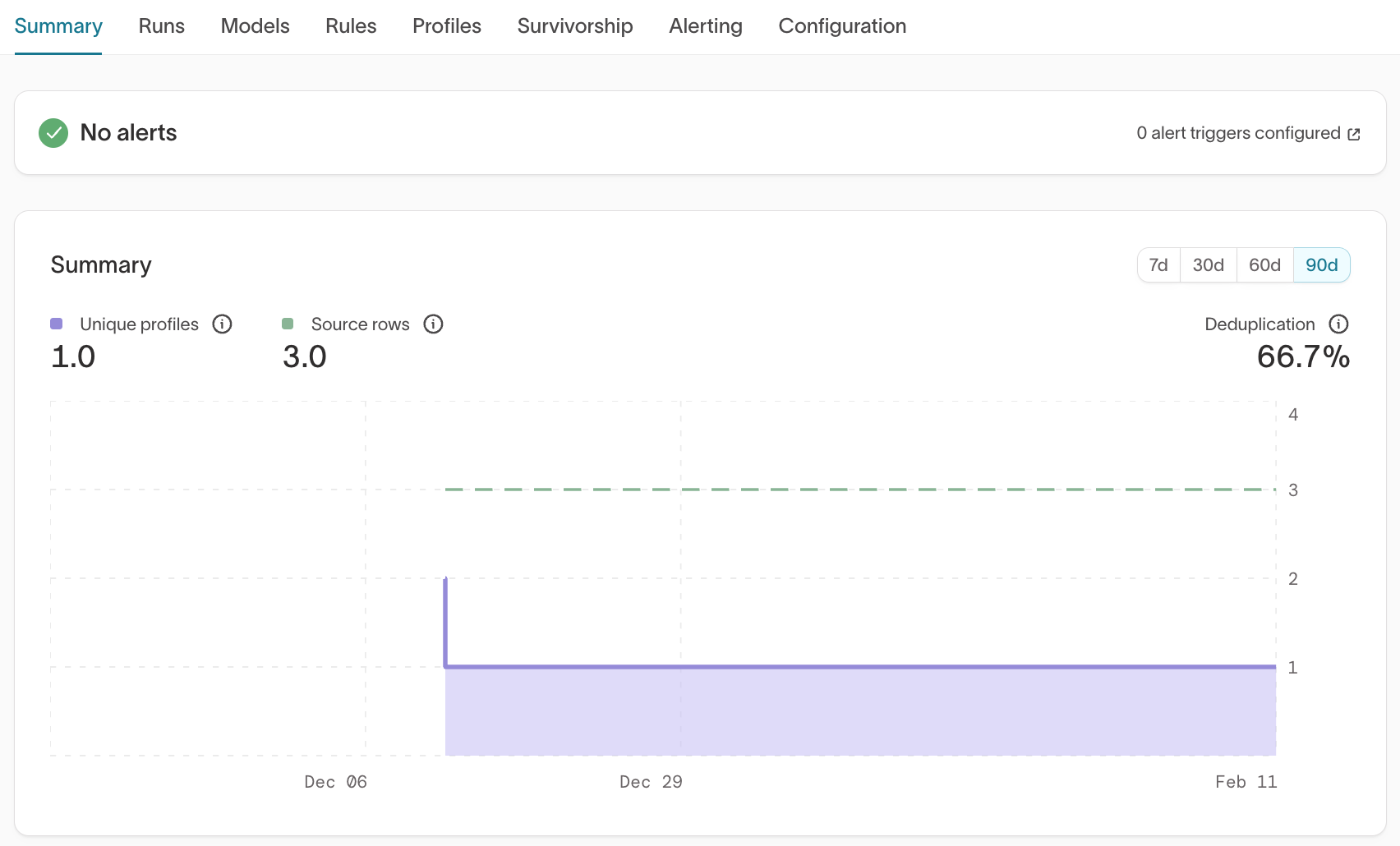
What it shows
- Unique profiles (resolved identities)
- Source rows
- Deduplication rate
- Trend over time (7d / 30d / 60d / 90d)
What to validate
- Does the number of unique profiles align with your expected number of real-world entities?
- Is the deduplication rate reasonable?
- Did counts change unexpectedly between runs?
Common signals
- Very high deduplication → Possible over-merging
- Very low deduplication → Possible under-merging
- Sudden spikes or drops → Rule or model changes may have impacted matching
Large discrepancies between expected entity counts and resolved identity counts often indicate overly permissive identifier priority, overly strict limits, or missing identifiers.
Runs
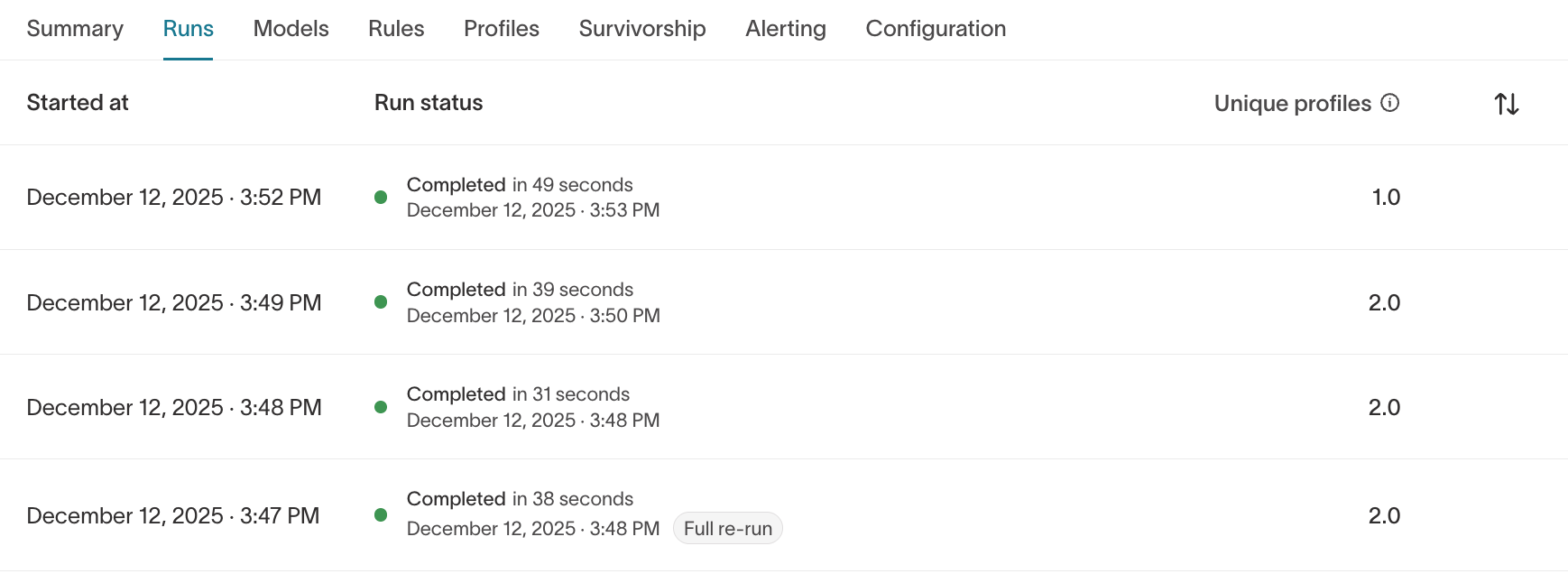
What it shows
- Run history
- Run duration
- Completion status
- Unique profile count per run
- Full re-run indicators
What to validate
- Did the latest run complete successfully?
- Did identity counts change unexpectedly?
- Are run durations stable?
If a run fails, review the error details and confirm that:
- Source schema hasn’t changed
- Output schema still exists
- Required permissions are intact
Models
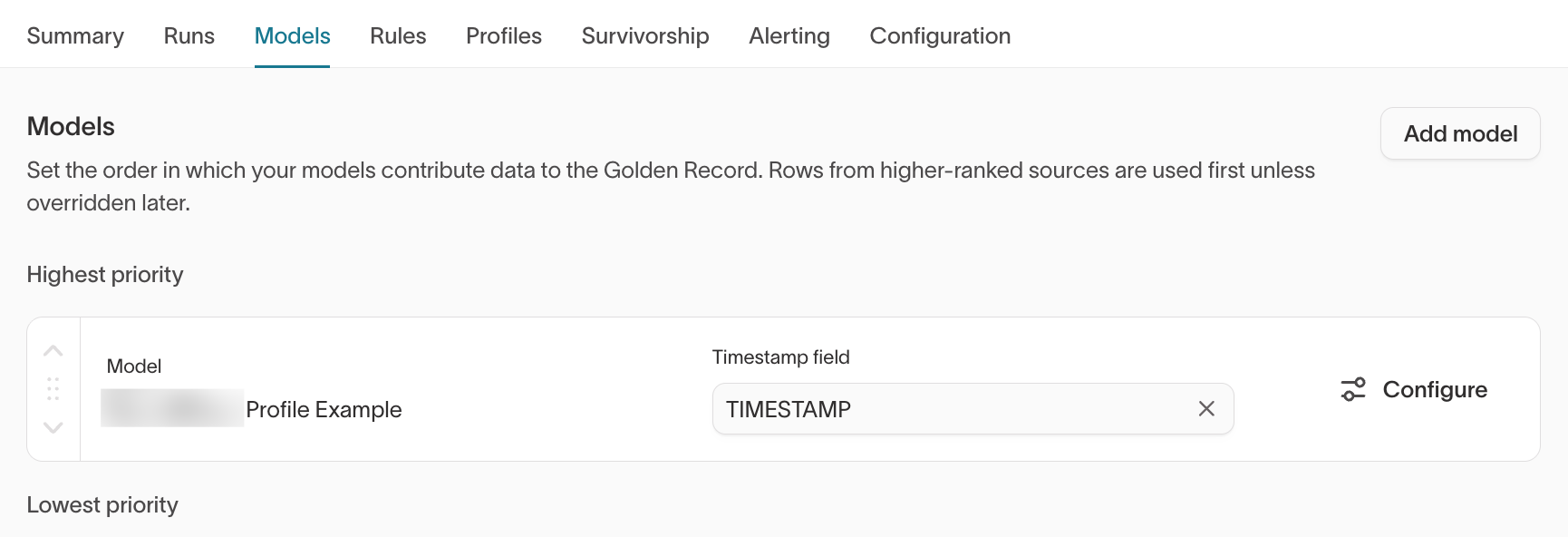
What it shows
- Order in which models contribute to the graph
- Timestamp field selection
- Model configuration access
Higher-ranked models are evaluated first unless overridden later.
What to validate
- Are models ranked intentionally?
- Is the correct timestamp field selected?
- Are expected identifiers included in each model?
Changing model order can affect Golden Record results and downstream activation. Confirm intended priority with your data or RevOps team before adjusting model ranking.
Rules
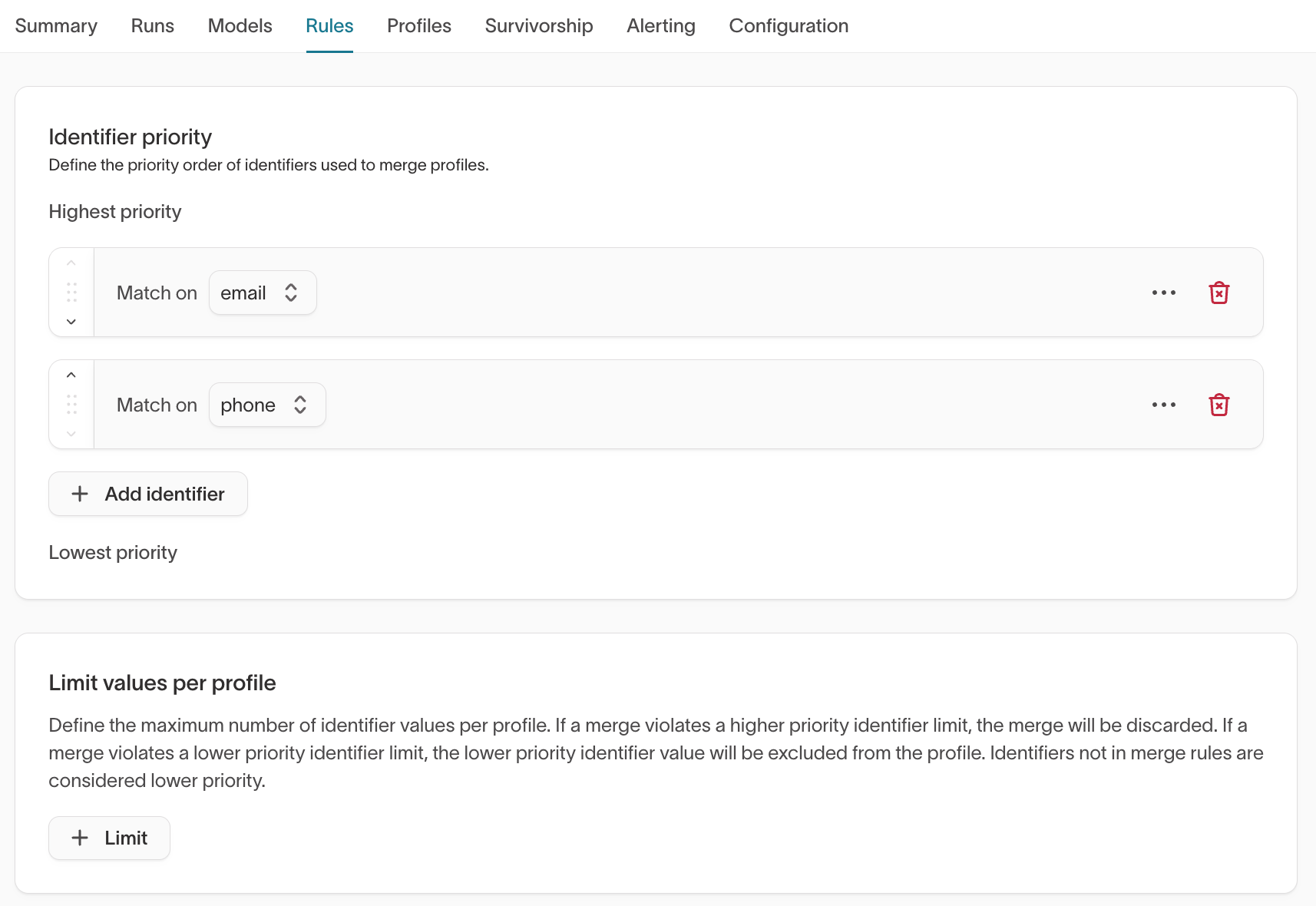
What it shows
- Identifier priority order
- Limit values per profile
Identifier priority determines merge behavior. Limit rules prevent excessive merges.
What to validate
- Are authoritative identifiers (for example
user_id,email, CRM IDs) ranked appropriately? - Are limits aligned with business constraints?
- Could current rules allow superclusters?
Identifier priority materially affects how identities merge.
For high-impact identifiers such as user_id, email, CRM IDs, or external platform IDs, confirm the intended merge strategy with your data or RevOps team before finalizing priority order.
→ See Identifier rules for more information on how identifier priority and limits work.
Profiles
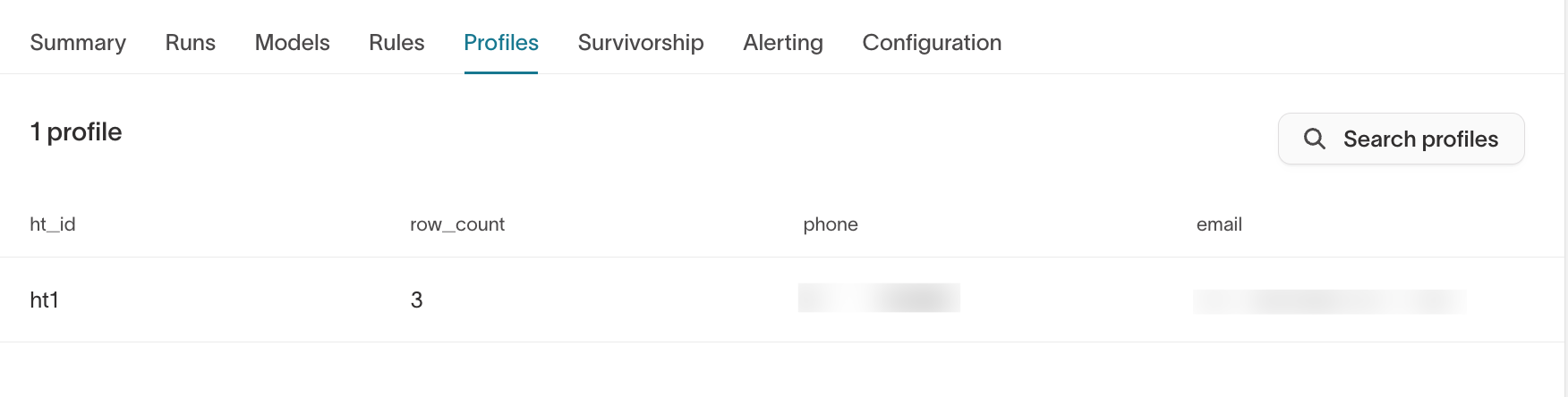
The Profiles tab appears once identities have been generated. It allows you to browse resolved identities directly in the UI.
What to validate
- Unexpected merges of high-authority identifiers
- Suspiciously large identity clusters
- Missing expected identifiers
- Unexpected
ht_row_countvalues
Review a sample of profiles across different scenarios:
- Logged-in users
- Anonymous users
- Users with multiple emails
- CRM-synced users
Sampling across different user types helps detect edge cases early.
For deeper inspection, query the warehouse output tables:
<output_prefix>_resolved<output_prefix>_resolved_identifiers
Survivorship
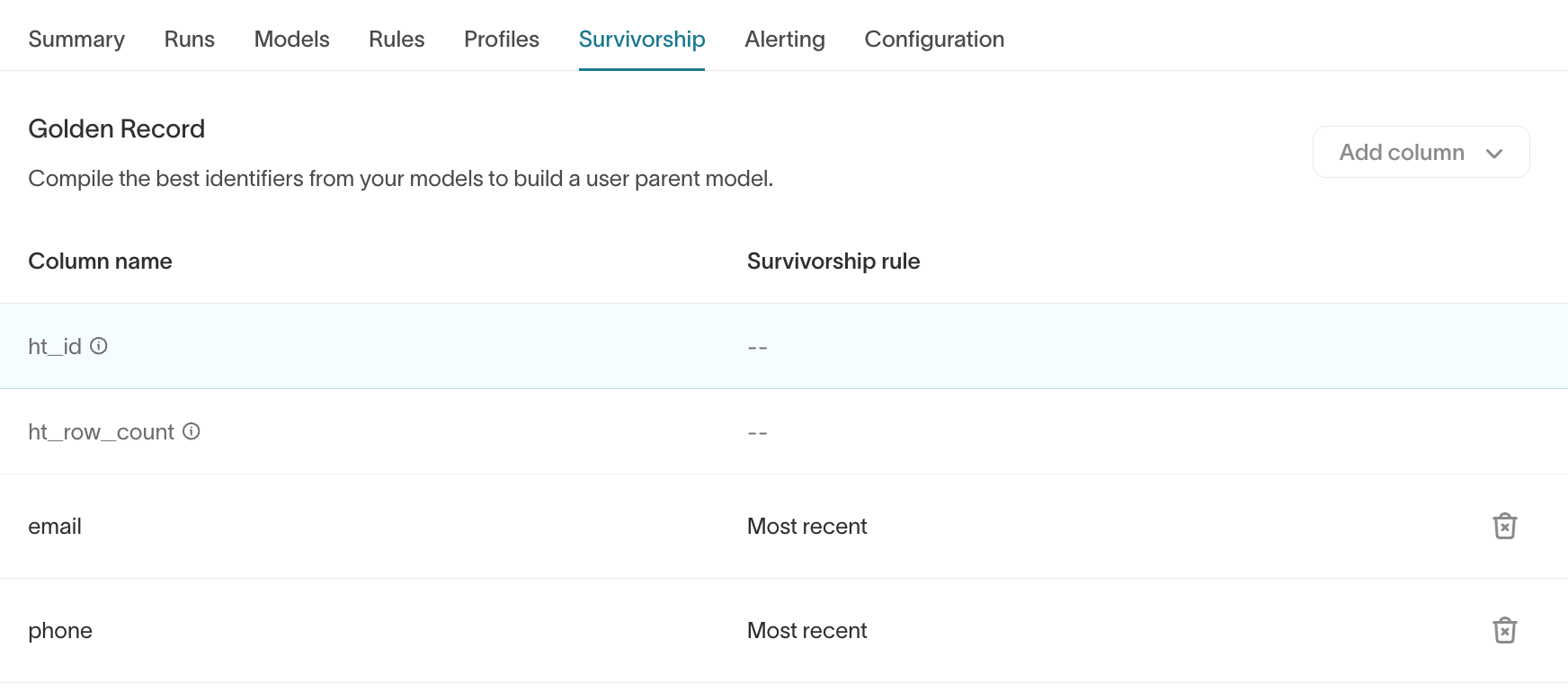
The Survivorship tab controls Golden Record logic.
What it shows
- Golden Record columns
- Survivorship rules (for example,
Most recent,Most frequent)
What to validate
- Does canonical
emailreflect the expected primary value? - Are recency-based rules behaving correctly?
- Are high-impact fields aligned with business rules?
If Customer Studio is enabled, review the Golden Record parent model to confirm canonical values match expectations before building audiences or launching journeys.
Choosing survivorship rules can materially affect downstream activation.
For high-impact fields such as email, phone, or CRM IDs, consider aligning with your RevOps or implementation team before finalizing rules.
Alerting
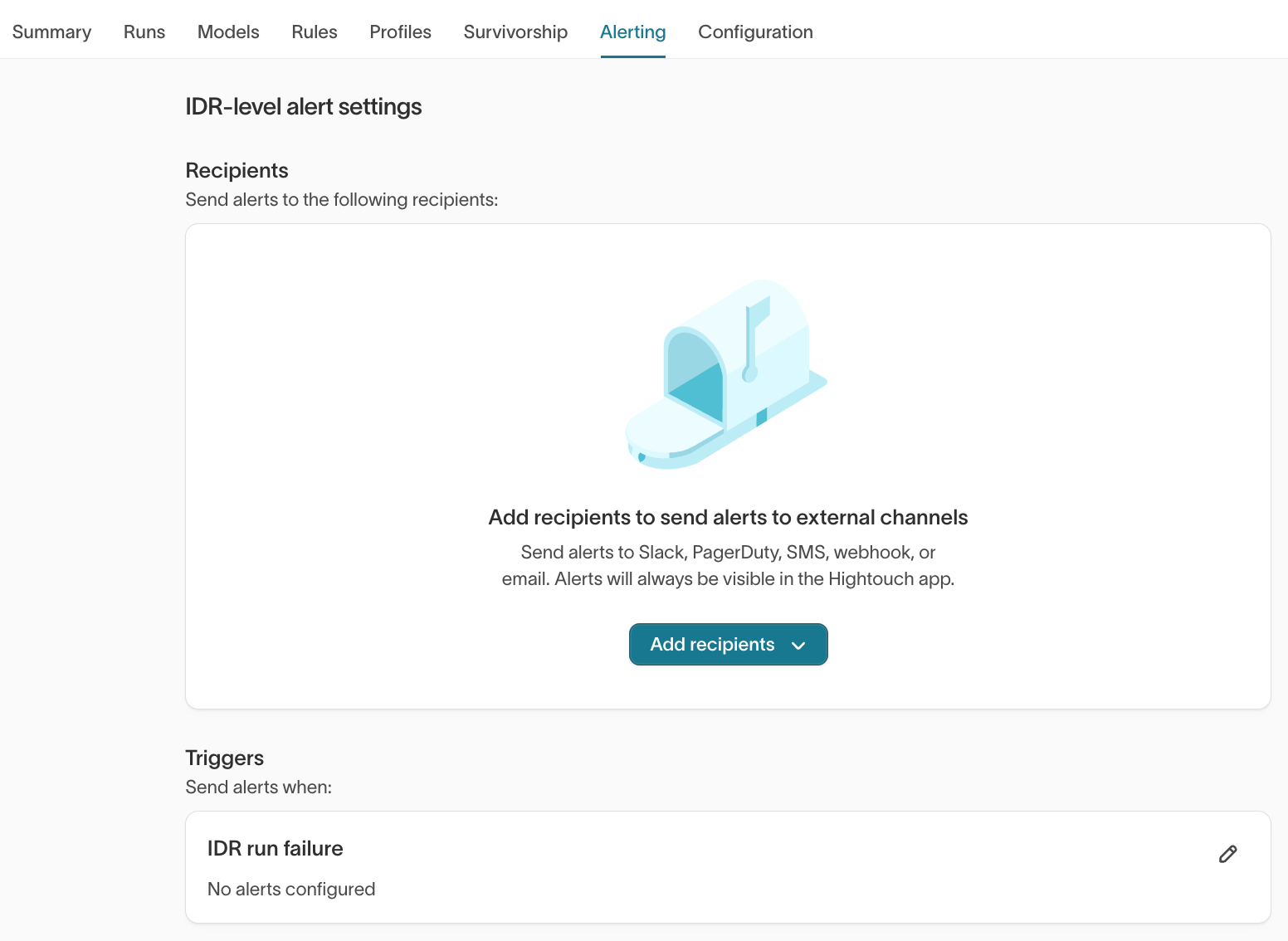
The Alerting tab allows you to configure IDR-level alerts.
Recommended setup
- Add recipients (Slack, webhook, email, etc.)
- Enable alerts for IDR run failure
Alerts ensure you are notified if:
- A scheduled run fails
- A configuration issue prevents identity updates
For production graphs, alerting should be enabled before scheduling recurring runs.
Configuration
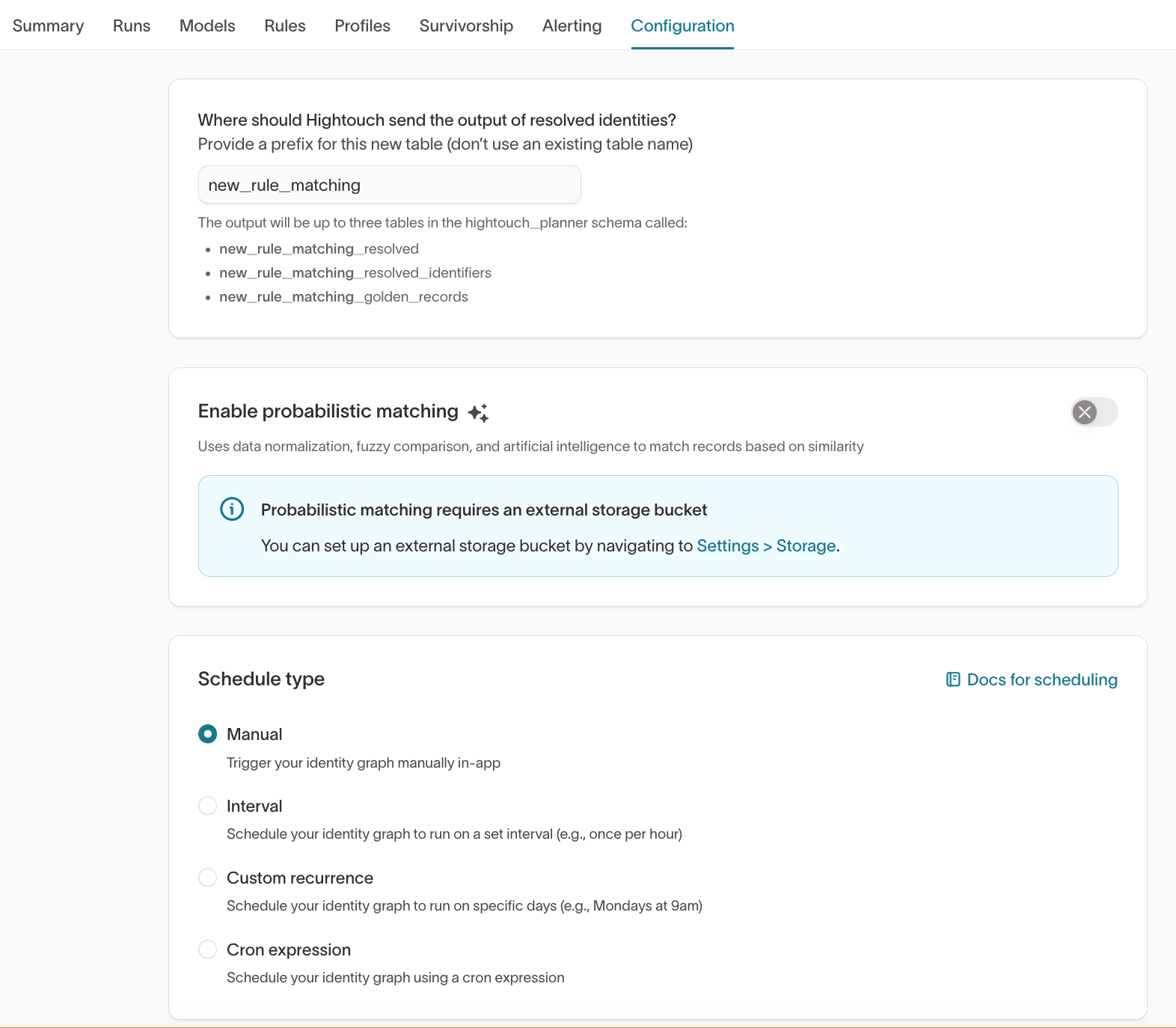
What it shows
- Output table prefix
- Probabilistic matching toggle (if enabled)
- Schedule type (Manual, Interval, Custom recurrence, Cron expression)
What to validate
- Is the output prefix correct and unique?
- Is probabilistic matching intentionally enabled?
- Is the schedule appropriate for your workflow?
For early-stage graphs, use Manual runs until validation is complete.
Enable scheduled runs only after match quality is confirmed.
Warehouse validation
Identity Resolution writes the following tables to your configured schema:
<output_prefix>_resolved<output_prefix>_resolved_identifiers<output_prefix>_unresolved<output_prefix>_golden_records(if enabled)
Use these tables to:
- Detect superclusters (large record counts per
ht_id) - Inspect unresolved rows
- Validate Golden Record output at scale
Best practice rollout pattern
Many teams follow this workflow:
- Create graph with conservative limits
- Run manually
- Validate counts and sample profiles
- Adjust identifier priority or limits
- Configure Golden Record
- Validate canonical values
- Enable alerting
- Enable schedule
- Activate downstream
This approach reduces downstream disruption and makes identity changes more predictable.