| Audience | Marketers, data teams |
| Prerequisites |
|
Agent alerting notifies you about engine run failures, long-running or stalled agents, and unexpected drops in recommendation volume before they impact your campaigns.
Overview
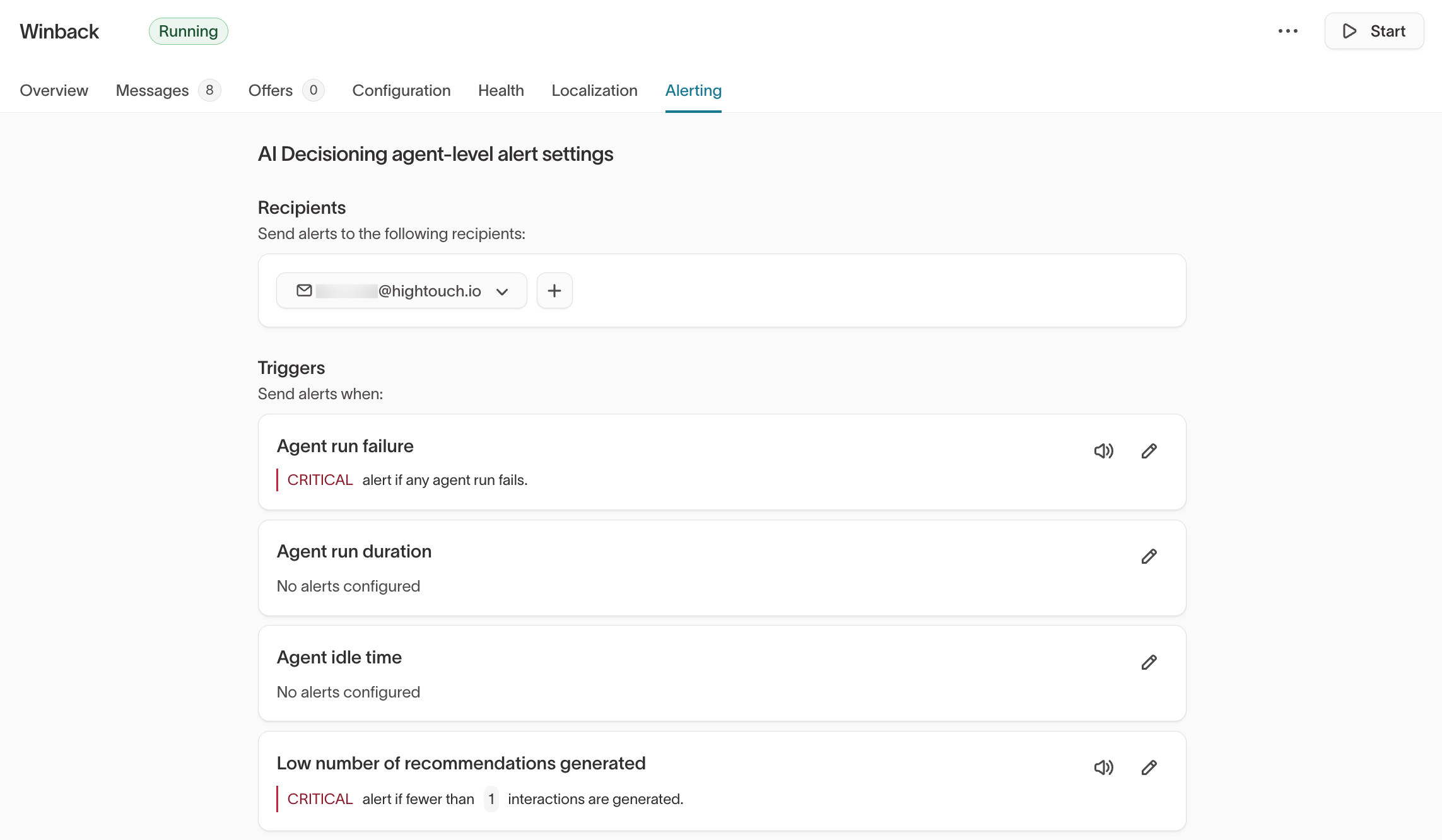
AI Decisioning agents support automated alerting for engine runs — the daily runs that generate and schedule AID messages for your users. The alerting system for AID agents follows the same model used for syncs and journeys in Hightouch.
Every agent comes pre-configured with a default run failure monitor. No setup is required for monitoring to begin.
To access alerting, open an agent and go to the Alerting tab.
Alert triggers
There are four alert triggers available for AID agents:
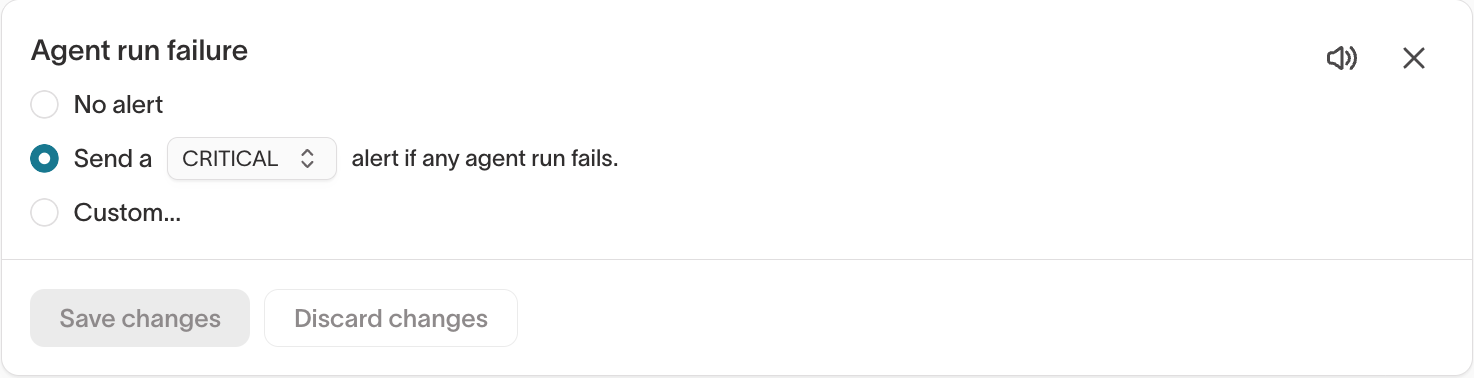
Agent run failure: Triggers when one or more consecutive engine runs fail. Each engine run is responsible for generating and scheduling the AID messages sent to your users, so a failure means messages may not be produced or delivered for that cycle. The alert fires regardless of which pipeline stage caused the failure and links directly to the specific failed run, taking you to the View details page on the Health tab.
From View details, you can see each pipeline stage and its status, which stage the run failed at, and an error message explaining what went wrong. For more information, see Agent health > View details.
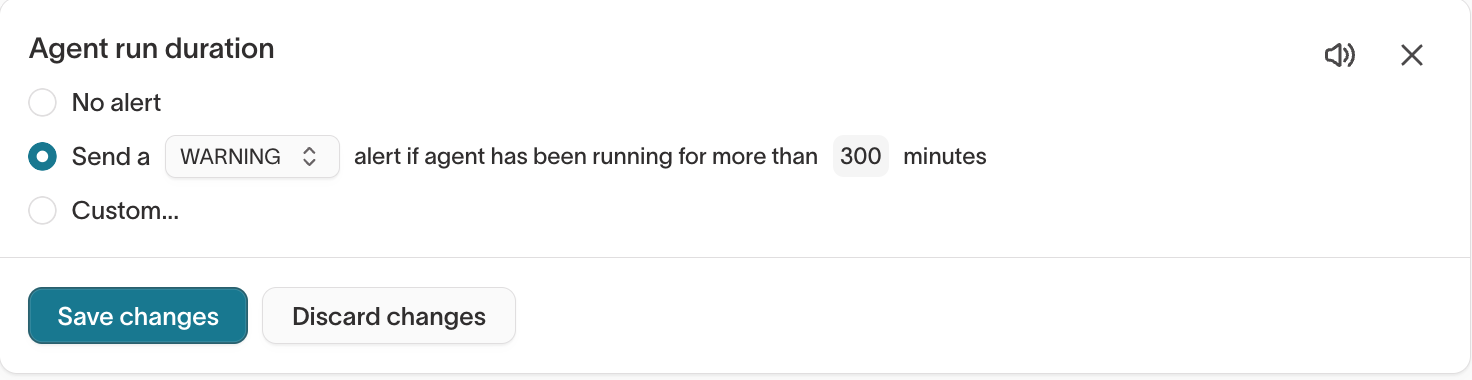
Agent run duration: Triggers when an agent has been running for longer than a threshold you define (in minutes). Use this to detect runs that are taking unusually long, which may indicate a warehouse performance issue or a bottleneck in the pipeline.
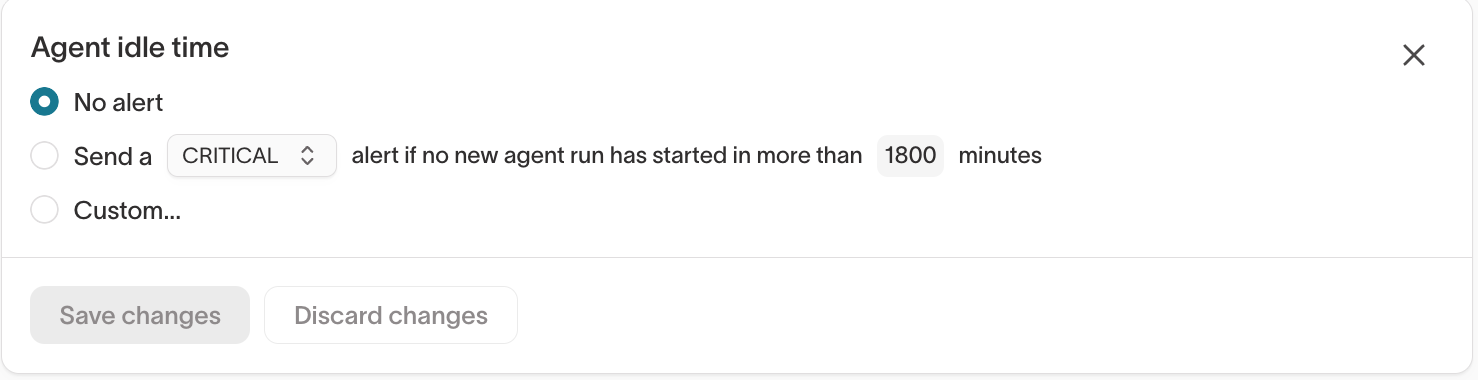
Agent idle time: Triggers when no new agent run has started within a specified number of minutes. Use this to detect situations where your agent has stopped running entirely, which could mean a scheduling issue or an upstream dependency failure.
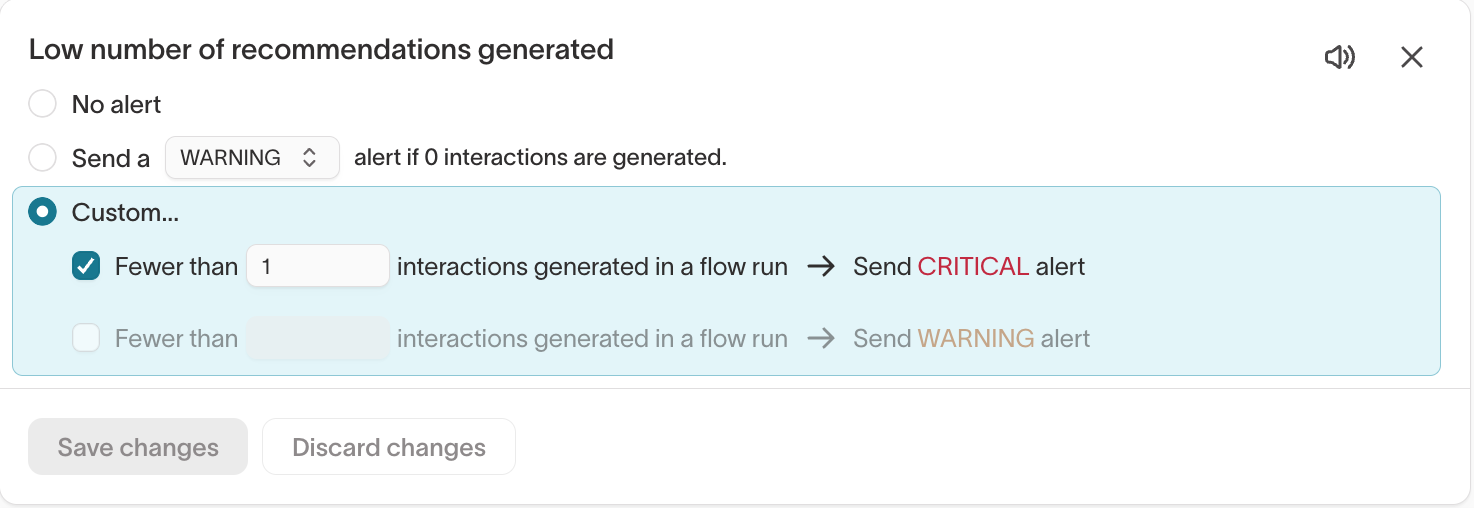
Low number of recommendations generated: Triggers when the number of interactions (messages) generated in an engine run falls below a threshold you define. Use this to catch unexpected drops in decision volume that may not surface as an outright failure but could signal an upstream data issue or audience eligibility problem.
Alert severity
Each trigger can be configured with a severity level:
- Critical: For high-urgency issues that require immediate attention, such as a run failure.
- Warning: For lower-urgency signals, such as a drop in recommendation volume that may warrant investigation but is not blocking.
- Custom: Set separate thresholds for Critical and Warning severity on the same trigger. For example, fire a Warning if fewer than 500 interactions are generated and a Critical if fewer than 100.
Notification channels
Alerts can be routed to the following destination types: Slack, Email, PagerDuty, SMS, and Webhook.
Each recipient can be scoped to receive only Critical alerts or all alerts.
Set up alerting
- Go to any AID agent and select the Alerting tab.
- Review the pre-configured Agent run failure monitor. Adjust the severity or switch to a Custom threshold if needed.
- Click the + button under Recipients to add a notification channel (Slack, Email, PagerDuty, SMS, or Webhook).
- Optionally, configure additional triggers such as Agent run duration, Agent idle time, or Low number of recommendations generated with your preferred thresholds and severity.
- Select Save changes. Alerts fire on the next qualifying run.
Next steps
- Agent health to monitor pipeline runs and delivery rates.
- Insights to measure agent and message performance.
- Agents to configure goals, audiences, and scheduling.