| Audience | Marketers, data teams, platform admins |
| Prerequisites | A data warehouse connected as a source |
Ask questions about your customer data and marketing performance in natural language. Agents return answers, draft reports, and help build audiences using your warehouse data and connected marketing channels.
Overview
Agents lets you explore customer data, analyze campaign performance, and automate reporting in natural language. Describe what you need and the agent returns answers based on your warehouse data and connected marketing tools.
Agents connect to your data warehouse and marketing channels like Meta, Google Ads, TikTok, Braze, and Iterable. They query across your full customer and campaign data, not just what's available in a single tool.
Agents are designed for marketing workflows like campaign analysis, audience research, and reporting. Agents understand concepts like creative fatigue, audience segmentation, and experiment design, so they can return actionable answers rather than raw data.
Core features
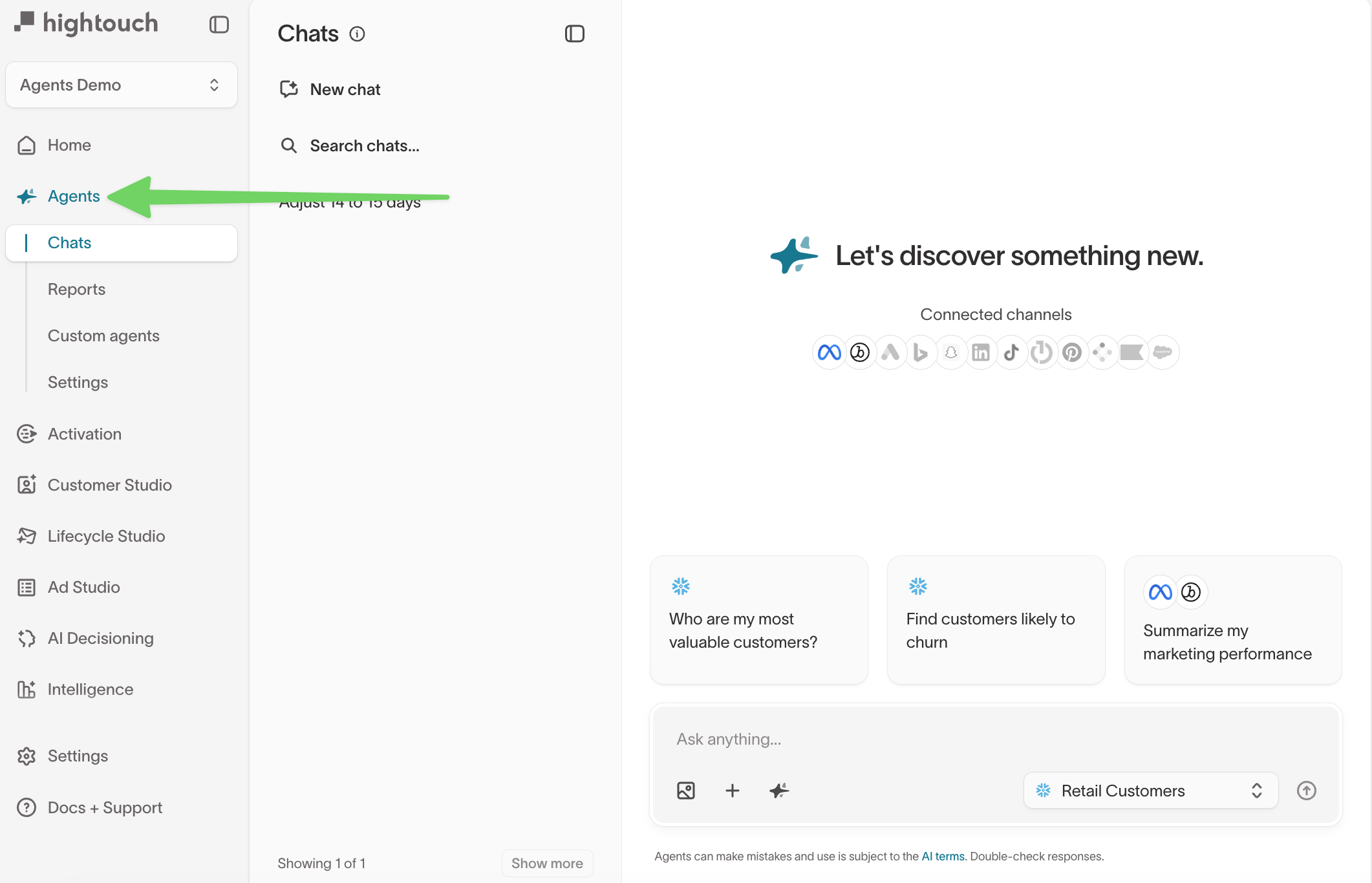
Agents has four main areas, each accessible from the left navigation inside the Agents tab.
Chats
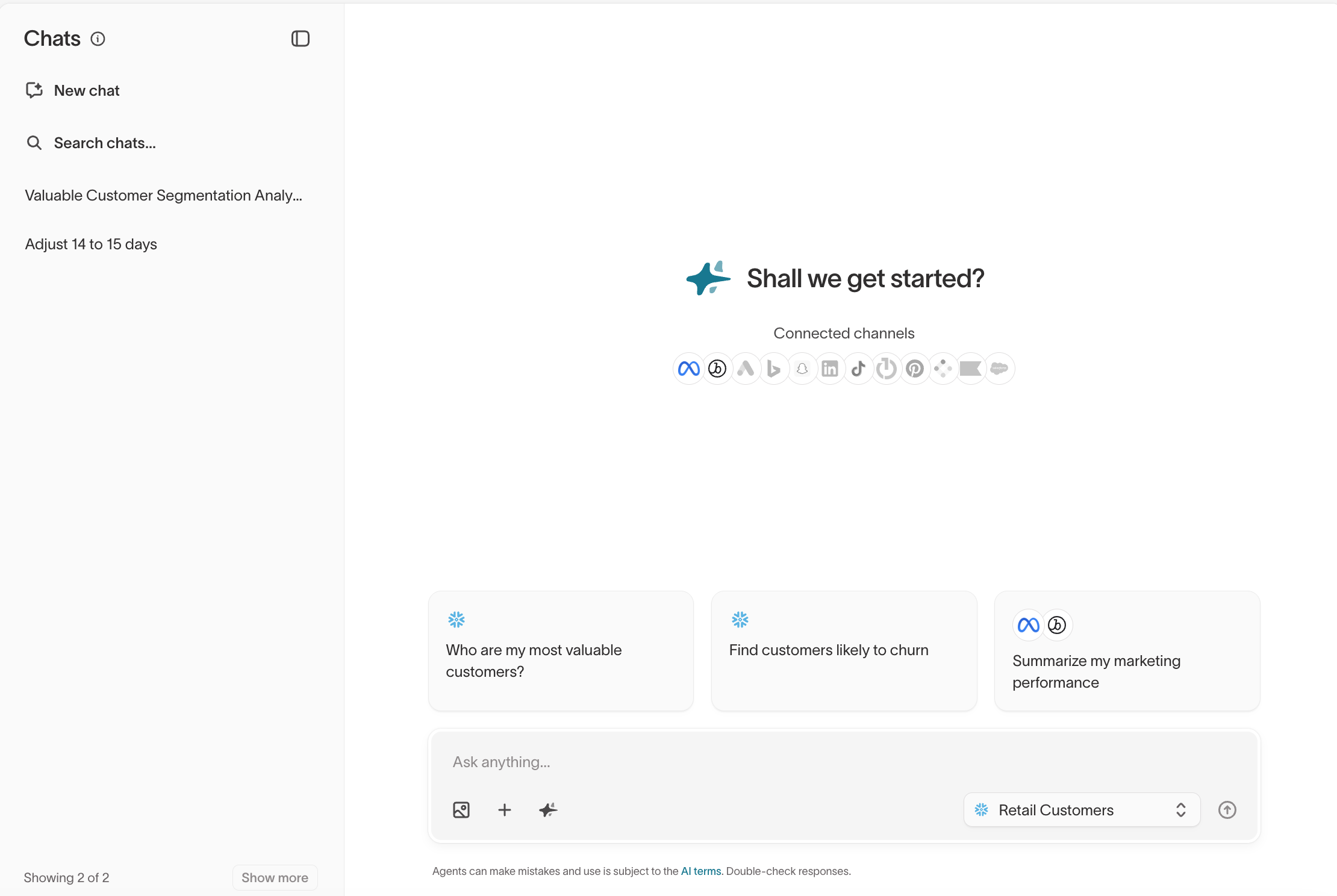
The primary interface for asking questions and exploring data. You type a question in natural language, and the agent queries your warehouse, analyzes results, and returns answers with charts, tables, and recommendations.
Conversations are persistent. You can follow up, refine, and dig deeper without starting over. The agent also suggests questions based on your data to help you get started.
See Chats for more detail.
Reports
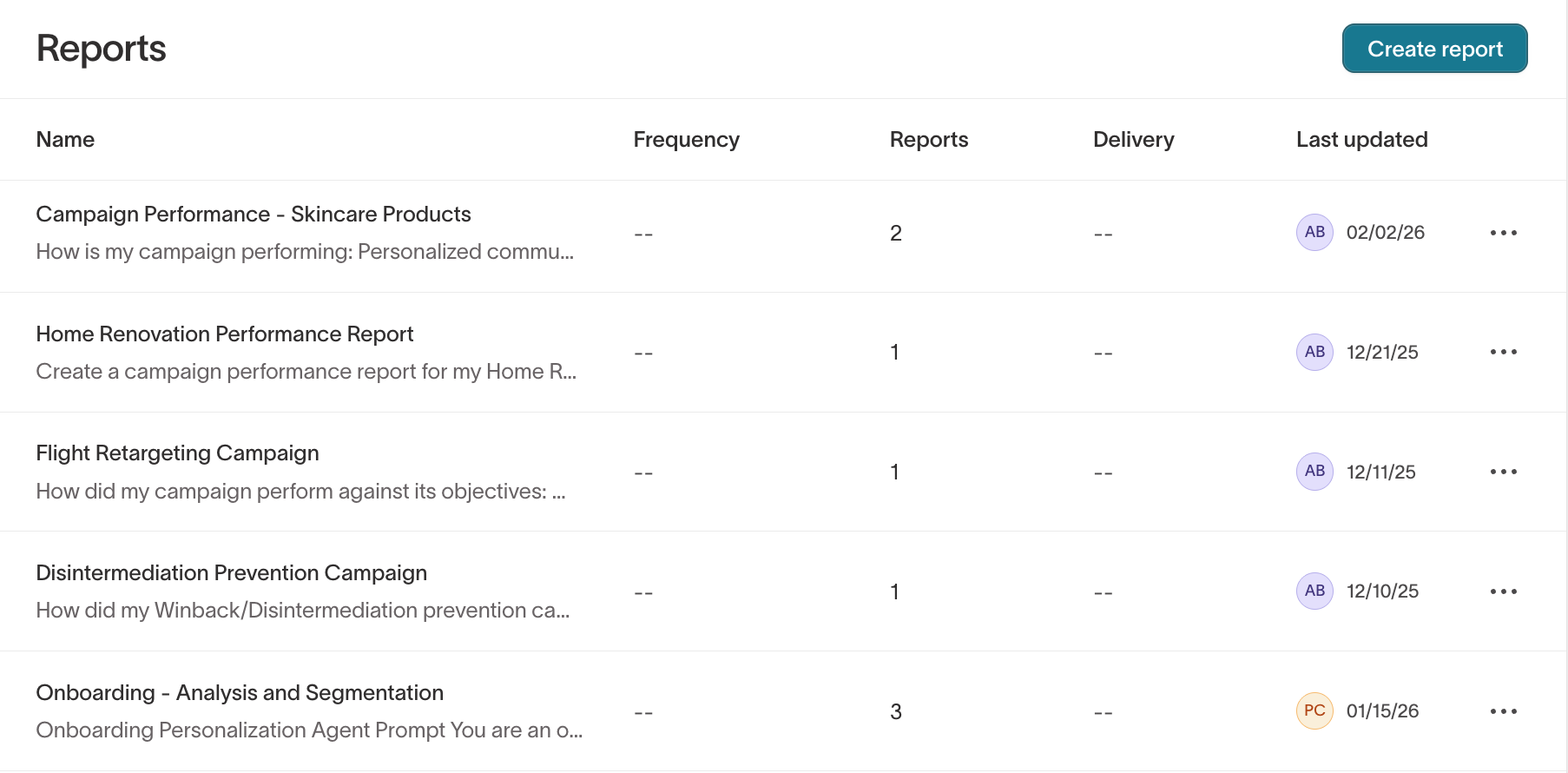
Saved prompts that run on a schedule and deliver results automatically. You can save any one-off chat answer as a recurring report delivered via email or Slack.
Reports are useful for weekly performance summaries, daily campaign dashboards, and automated monitoring that would otherwise require data team support.
See Reports for more detail.
Custom agents
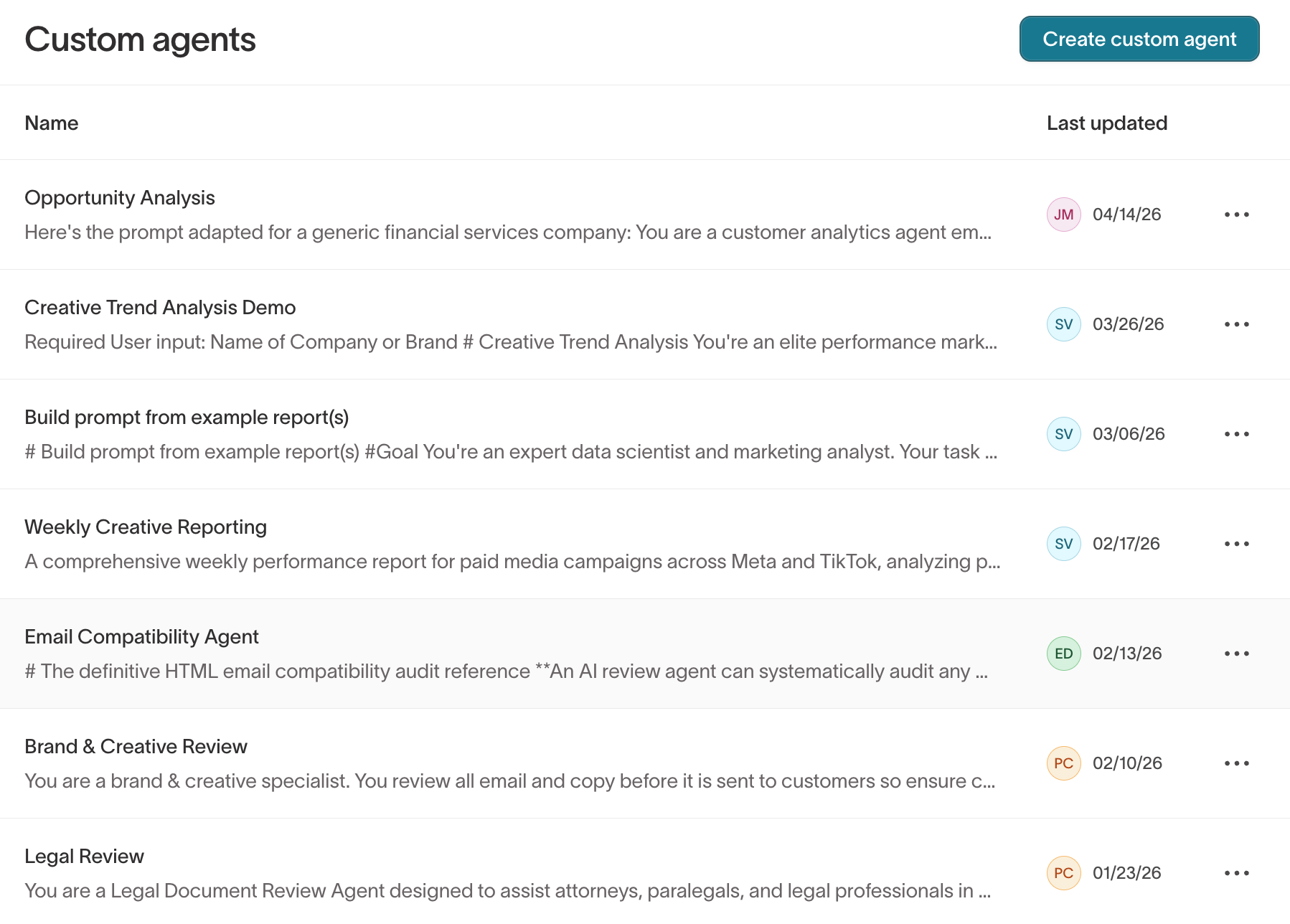
Specialized agents scoped to specific teams, metrics, or use cases. A custom agent has a defined task (for example, "Paid Media Analyst" or "Lifecycle Performance Analyst"), and tone and guardrails you configure.
End users select a custom agent from the chat interface when they want analysis scoped to a particular domain.
See Custom agents for more detail.
Settings
Configure workspace-level settings like your default parent model, reviewers, and inference providers.
See Settings for more detail.
Context Hub
Context Hub is a separate top-level section where you manage the knowledge, brand assets, and marketing connections that agents use. This includes context cards, brand profiles, guardrails, memories, and channel connections.
See Context Hub for more detail.
Get started
Agents requires setup from data teams before marketers can use it. This setup is typically done once per workspace.
For data teams and platform admins
Complete these steps in order. Marketers cannot use Agents until a warehouse is connected and permissions are configured.
| Step | What to do | Why |
|---|---|---|
| 1 | Connect a data warehouse | Agents queries warehouse data directly, so it needs at least one connected source. |
| 2 | Set up your schema or add general models | Agents requires at least one parent model or general model to query. Without these, the agent has no tables to work with. |
| 3 | Add organizational context | Provide metric definitions, business rules, and background the agent should know. You can also upload files like planning documents or report templates. |
| 4 | Connect marketing channels (optional) | Add ad platforms and ESPs (Meta, Google Ads, TikTok, Braze, Iterable, and others) so the agent can include campaign performance data and creative analysis in its answers. |
| 5 | Configure brand guidelines (optional) | Add brand profiles, font preferences, and email best practices for creative content generation in Ad Studio and Lifecycle Studio. |
| 6 | Enable Agents for your group | Grant the Access Agents permission to each group that should have access. See Roles for details. |
If you already have a Customer Studio schema or general models configured, Agents can query that data immediately. Connecting marketing channels adds richer campaign and creative performance context but isn't required to start chatting.
For marketers
Once your data team has configured the workspace, start by opening a new chat. Describe what you want to know, like performance metrics, audience breakdowns, comparisons, or anomaly detection. The agent returns answers with charts, tables, and recommendations.
From there, save reusable prompts as custom agents to standardize analysis for your team, and create scheduled reports to automate recurring analysis via email or Slack. After any analysis, you can ask the agent to build an audience and save it to Customer Studio for activation.
Customer Studio also includes an Agent in the audience builder for creating, refining, and understanding audiences using natural language. Use Agents when you're starting from a question and want to explore your data first. Use the Agent in the audience builder when you already know the audience you need and want help defining it. See Which agent should I use? for a detailed breakdown.
When to use Agents
Agents is the right tool for ad hoc exploration: open-ended questions, one-off comparisons, and analyses that don't fit a pre-built view. For structured dashboards, use Intelligence instead.
| Scenario | Recommended approach |
|---|---|
| Explore customer data or campaign performance with natural-language questions | Agents Chats |
| Automate recurring analysis and deliver via email or Slack | Agents Reports |
| Standardize analysis across your team with saved prompts | Agents Custom agents |
| Build audiences from analysis results | Agents then Customer Studio |
| Track KPIs with structured dashboards and pre-built charts | Intelligence |
| Run holdout tests and measure incremental lift | Intelligence Experiments |
| Automate which message, channel, and timing each user receives | AI Decisioning |
If you're not sure where to start, try asking the agent what you should be looking at: "What are the top 5 things I should look at this week for my paid media campaigns?" or "What questions should I be asking about my email performance?" For tips on getting better results from your prompts, see Tips for better results.
Use Agents with other Hightouch products
Agents answers questions using your warehouse data and connected channels. You can send its outputs — audiences, reports, and briefs — to other Hightouch products to act on.
Data and context Agents reads
- Warehouse data from your connected source — customer records, transactions, product catalogs, and any other tables you expose through your Customer Studio schema and general models.
- Connected marketing channels — ad platforms and ESPs connected through Context Hub data setup, which provide campaign performance metrics and ad creatives directly.
- Organization context — brand guidelines, marketing best practices, and organizational knowledge configured in Context Hub, including context cards, memories, and brand profiles.
Audiences, reports, and briefs you create
- Audiences to Customer Studio — ask an agent to build an audience from your analysis, then review and save it to Customer Studio for activation.
- Reports to email or Slack — save any one-off analysis as a scheduled report delivered automatically to your team.
- Briefs for Ad Studio or Lifecycle Studio — use agent outputs as a starting point for creative development in Ad Studio or campaign planning in Lifecycle Studio.
Data governance
Agents respects the same governance framework used across Hightouch. Every agent query is scoped to the data the current user is authorized to access — agents never bypass per-user access controls, and they never create or change anything without explicit user approval.
Four layers control what an agent can see and do:
| Layer | What it controls | Where to configure |
|---|---|---|
| Feature access | Whether a user can open Agents at all, and whether they can modify settings | Access Agents and Configure Agents grants in Roles |
| Table access | Which warehouse tables agents can query — via Customer Studio schema models and general models | Customer Studio, then Schema (parent/related/event models and general models drawer) |
| Column access | Which columns are visible to agents — privacy levels control whether a column is blocked, redacted, or fully available | Per-model column settings in the general models or schema model detail view |
| Row-level access | Which rows agents can return, based on filter rules assigned to user groups | Row-level access rule groups in Customer Studio, then Governance |
Model-level query permissions are managed in the Models and Customer Studio tabs of the custom role builder. For general models, the relevant grant is View model data. Creating and managing general models requires the Configure schema grant on the underlying source.
Agents never create or change anything without approval. During chats, an agent may draft audiences or reports, but users must review and explicitly save those outputs.